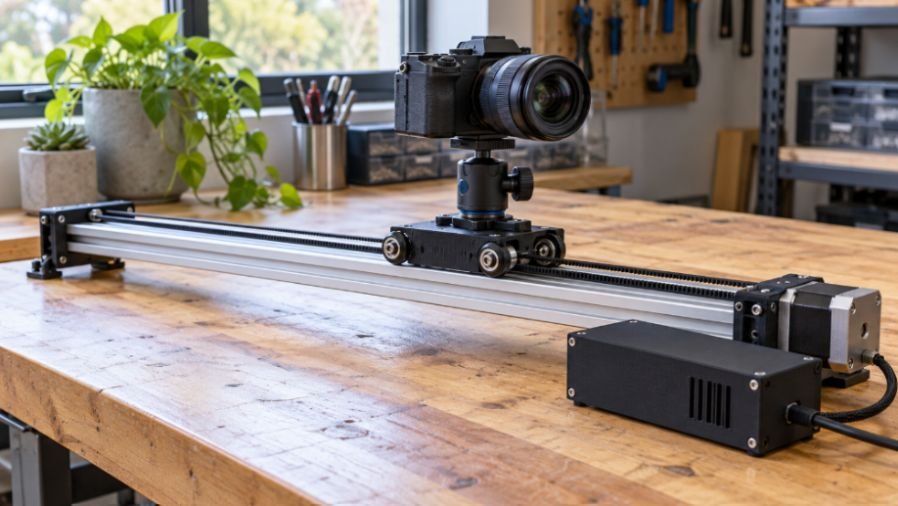
A shaky carriage can ruin a tracking shot, even when the motor sounds quiet. My approach to a diy motorized camera slider with 3d printed parts starts with rigid supports and free movement before adding electronics.
I’d build the first version for horizontal travel with a modest camera load. That keeps the mechanics manageable while leaving room for automated time-lapses, adjustable speed, and wireless controls.
Choose a Belt-Driven Camera Slider Layout
Use aluminum extrusion as the backbone, printed brackets for mounting, and a timing belt for movement. Four V-wheels guide the carriage along compatible V-slot grooves.
A 750 mm rail provides a useful starting length. Actual travel is shorter because the carriage and end assemblies occupy space.
Start with one coherent design rather than mixing unrelated STL files. Adafruit’s motorized camera slider project provides downloadable resources for an extrusion-based build. Its electronics differ from the ESP32 arrangement described here.
Support a longer rail near both ends. A single central tripod can allow twisting when the camera reaches an extremity.
Gather the Hardware and Electronics
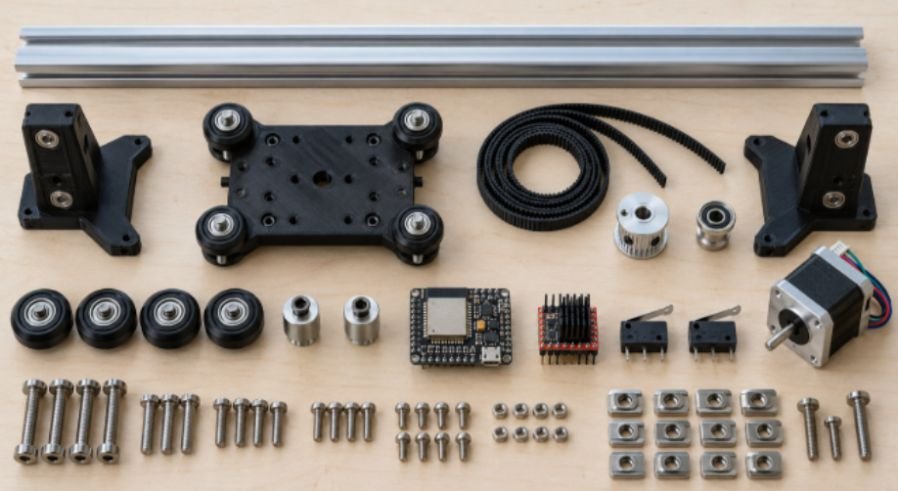
For a V-wheel version, collect these main components:
- One 2040 V-slot rail, four compatible wheels, two eccentric spacers, and two fixed spacers.
- One 6 mm GT2 belt, a 20-tooth motor pulley, and a matching idler.
- One bipolar NEMA 17 motor, TMC2209 carrier, ESP32 board, and two limit switches.
- A regulated 12V supply, 5V buck converter, suitable wiring, and power switch.
- M3/M5 fasteners, T-nuts, locknuts, washers, and a metal camera mounting screw.
Add a compact ball head, printed belt clamps, and an electronics enclosure. An encoder and OLED are optional.
Check bearing bores and spacer dimensions before ordering. “V-wheel” does not guarantee compatibility with every bolt or extrusion.
If you’re choosing equipment, the same dimensional checks matter when selecting a 3d printer for beginner robotics projects.
Print Strong Camera Slider Parts
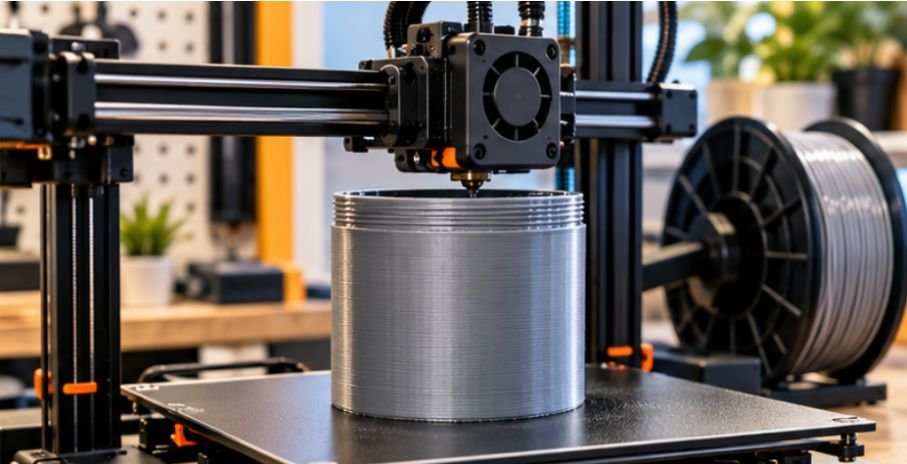
Print a carriage, motor bracket, adjustable idler bracket, support feet, and ventilated electronics enclosure. Use metal hardware through the camera mounting point.
PETG Settings and Fit Checks
PETG is a sensible starting material for brackets. Prusa’s PETG guidance describes its toughness, layer adhesion, and useful temperature resistance. Sustained loads and heat still require careful design.
I’d start structural parts at four to five perimeters and 35–40% infill. These are starting settings, not a payload certification.
Orient brackets so belt tension does not pull layers apart. Add washers beneath bolt heads to spread pressure.
Print a small hole-and-spacer coupon first. Zero horizontal expansion is not a universal fit setting; calibrate against your printer and hardware. Material choice and hotend capability also matter when printing abrasive composites, so compare the Micro Swiss vs E3D V6 for printing carbon fiber filament before choosing a setup for demanding functional parts.
These checks also help when you 3d print a robot chassis with aligned wheel mounts.
Assemble the V-Slot Carriage and GT2 Belt
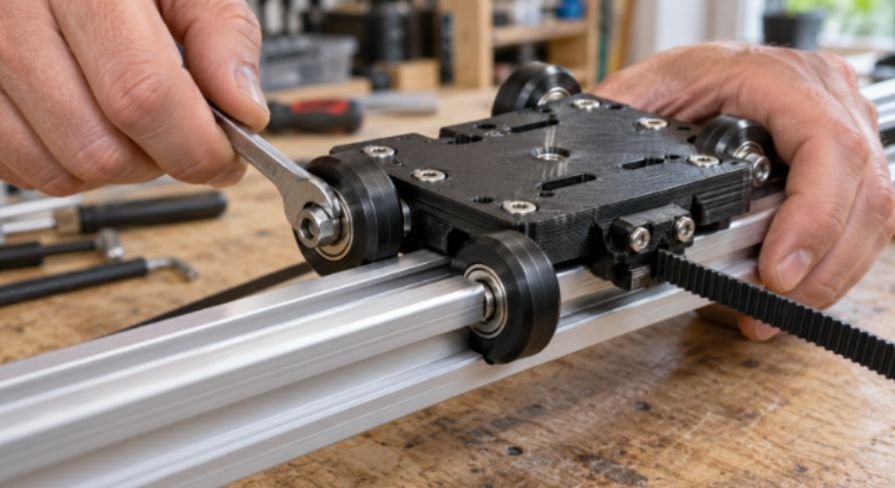
Mount fixed spacers on one carriage side and eccentric spacers on the other. Adjust the eccentrics until rocking disappears without making travel stiff.
Push the carriage through its entire stroke before fitting the belt. Tight spots suggest alignment problems, wheel damage, or excessive preload.
Attach the motor and idler brackets. Align both pulleys with the carriage belt clamps.
Slide the motor pulley onto its shaft and secure its set screw against the shaft flat. Avoid hammering it into position.
Route the belt according to your chosen design. Confirm that the return run clears wheels, bolts, and wiring.
Apply enough tension to prevent slack and tooth skipping. Excess tension can bend printed brackets and overload bearings.
Wire the ESP32 and Stepper Motor Driver
For a classic ESP32 DevKit, GPIO18, GPIO19, and GPIO23 can serve as STEP, DIR, and active-low ENABLE outputs. Confirm your board’s pinout first.
Connect controller ground, driver ground, and supply ground together. Feed the driver’s motor-power input from 12V.
Power the ESP32 through a suitable regulated input using the buck converter. Never connect 12V directly to a 3.3V pin.
Identify the motor’s two coil pairs with a meter. Connect each pair to the appropriate driver outputs with power disconnected.
Use available non-strapping GPIOs for endstops. Configure pull-ups, debounce, and switch-fault handling. Follow the carrier’s instructions for logic voltage, microstep selection, and supply capacitors.
Do not copy a universal Vref value. Current depends on the carrier’s sense resistors and configuration. Consult its schematic alongside the Analog Devices TMC2209 datasheet.
Calculate Travel Before Tuning Firmware
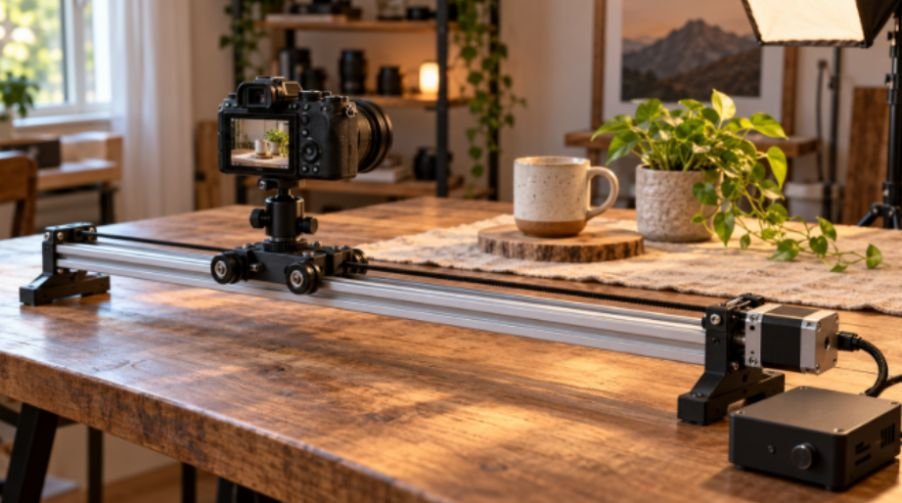
A diy motorized camera slider with 3d printed parts becomes easier to tune when you express movement in millimeters first.
Worked Example: Steps, Speed, and Distance
Assume a 1.8-degree motor, 16 commanded microsteps, and a 20-tooth GT2 pulley.
The motor has 200 full steps per revolution. The pulley advances 40 mm per revolution: 20 teeth multiplied by 2 mm pitch.
Therefore:
Steps per millimeter = 200 × 16 ÷ 40 = 80
At 5 mm per second, command 400 step pulses per second. A 600 mm pass takes approximately 120 seconds, excluding acceleration.
For a time-lapse spanning 600 mm across 301 frames, use 300 movement intervals. Each interval is 2 mm, or 160 commanded microsteps.
These are calculated examples, not measured performance. Microstep resolution does not equal guaranteed positioning accuracy.
Continuous Video and Shoot-Move-Shoot Modes
For video, accelerate before the useful shot and decelerate afterward. Leave enough spare travel for both ramps.
The AccelStepper documentation explains speed and acceleration controls. Standard acceleration settings create constant-acceleration ramps, not true jerk-limited S-curves. Call run() frequently during movement.
For time-lapses, move, settle, trigger, wait for exposure completion, and repeat. Match the shutter interface to your camera’s remote specifications.
Home slowly, back away, then approach again for repeatability. Add a homing timeout and software travel bounds.
Test Before Mounting Your Camera
Run the carriage empty, then use a secured dummy load. Check the center and both travel extremes for rail flex and carriage tilt. Similar testing principles apply to mobile robotics, where sensor response and movement must work together. For a practical example, explore this obstacle-avoiding robot using an ultrasonic sensor and Arduino to see how obstacle detection can guide a robot’s movement.
Test limit switches at low speed. Keep physical stops beyond normal limits.
If motion stutters, check wheel preload and belt alignment before increasing current. Regular bumps can reveal a damaged wheel or rubbing belt.
Record test footage at your intended focal length. Long lenses expose vibration that wide shots can hide.
Keep the first build horizontal. Inclined travel needs protection against the carriage falling when power disappears.
Make the Camera Glide, Not Your Budget
I’d spend my first tuning session on alignment, support, and gentle acceleration. Extra features can wait until the footage looks stable.
Finish your diy motorized camera slider with 3d printed parts by saving one reliable video preset and one time-lapse preset. A repeatable shot beats a fancy menu.
Frequently Asked Questions
1. What filament works best for printed camera slider brackets?
PETG is a practical starting choice, but bracket geometry, layer orientation, temperature, and loading determine suitability.
2. Can an ESP32 control a motorized camera slider?
Yes, it can control a compatible STEP/DIR driver while handling endstops and optional interface features.
3. How much camera weight can a printed slider carry?
No universal rating applies; test the complete rail, carriage, mounting hardware, and supports with a secured dummy load.
4. Why does my DIY camera slider shake at low speed?
Common causes include wheel preload, pulley misalignment, rail flex, belt rubbing, resonance, and uneven step timing.