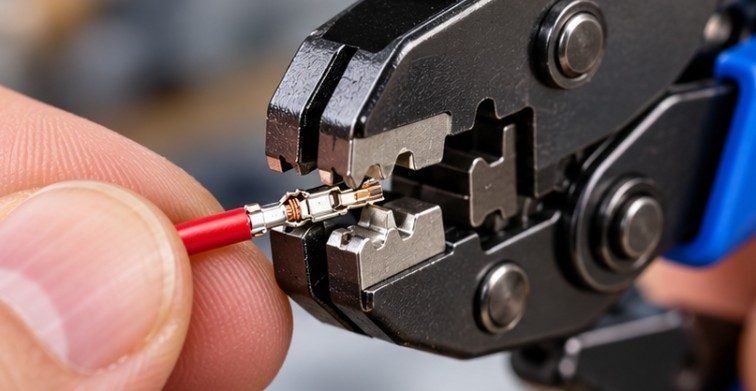
A $30 crimper can make a more reliable connection than an expensive tool used with the wrong terminal. That is the problem with shopping for the best wire crimping tool for JST and Dupont connectors: JST is not one connector size, and a die that works beautifully on a 2.54 mm Dupont contact may be awkward on a tiny JST terminal.
For most US makers working on Arduino projects, 3D printers, robotics, RC electronics, and custom wiring harnesses, the IWISS SN-2549 is the strongest all-around value. For very small terminals where control matters more than speed, the Engineer PA-09 deserves the upgrade.
The Quick Verdict: Three Crimpers Worth Considering
The IWISS SN-2549 is my first choice for a general electronics bench because its ratcheting design covers 0.08–1.0 mm², approximately AWG 28–18, and is intended for several open-barrel connector styles. IWISS lists compatibility with PH 2.0, XH 2.54, Dupont 2.54 and other small terminals.
The Engineer PA-09 is better suited to precision work. Engineer specifies four die widths—1.0, 1.4, 1.6 and 1.9 mm—and rates the tool for approximately AWG 32–20. It is particularly useful for small open-barrel contacts where being able to see and feel the terminal during the crimp helps prevent deformation.
The IWISS SN-28B is the simpler budget option for larger small-format terminals, particularly Dupont 2.54 mm and common JST XH/VH-style applications. Its specified range is AWG 28–18, but its die geometry makes it less attractive for very fine contacts than the PA-09.
| Tool | Best Use | Wire Range | Main Advantage |
| IWISS SN-2549 | General maker wiring | AWG 28–18 | Ratcheting, broad usefulness |
| Engineer PA-09 | Tiny JST and precision work | AWG 32–20 | Fine manual control |
| IWISS SN-28B | Dupont and larger JST contacts | AWG 28–18 | Affordable and simple |
Why Ordinary Wire Crimpers Fail on JST and Dupont Pins
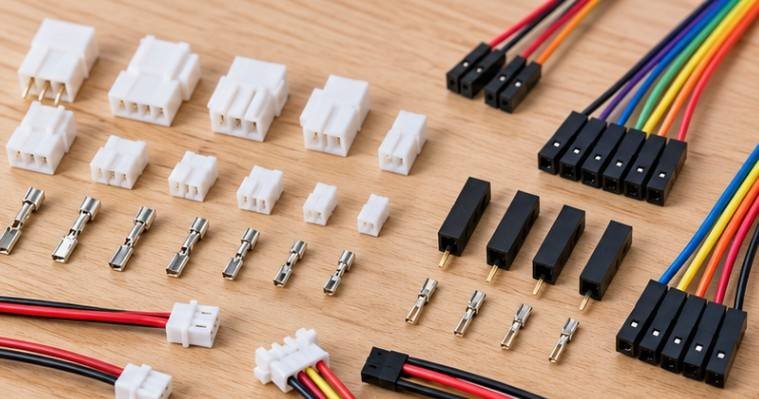
JST and Dupont-style contacts are generally open-barrel terminals. They have small metal wings that must fold around the conductor and insulation in controlled shapes. That is fundamentally different from crushing a red, blue, or yellow insulated automotive terminal.
Purdue University’s robotics laboratory explains the distinction clearly: one part of the terminal should grip the stripped conductor while another grips the insulation for mechanical support. Without that insulation grip, movement is transferred directly to the copper strands and can eventually fatigue the wire.
Southern Illinois University’s electrical training material likewise emphasizes that crimp connectors require the proper crimping tool rather than a generic pair of pliers.
That is why cheap combination strippers with a basic crimp slot often produce flattened contacts that no longer slide into their plastic housings.
IWISS SN-2549: The Best All-Around Choice for Makers
For somebody building several types of electronics projects, I would start with the SN-2549. Its biggest advantage is repeatability. The ratchet holds the jaws through the crimping cycle, reducing the chance that you stop halfway because the terminal suddenly feels tight.
That concept is not merely a convenience feature. FAA wiring guidance for higher-reliability electrical work calls attention to full-cycle ratchet mechanisms and proper tool inspection because consistent compression matters to connector quality.
The SN-2549 also crimps the conductor and insulation sections during the same operation. That saves time when you are making dozens of stepper-motor leads, servo extensions, sensor cables, or custom Arduino harnesses.
There is a limitation, however. A one-step ratcheting tool gives you less individual control over each set of wings. Extremely small contacts may need more delicate positioning than a general-purpose ratchet die allows. That is where the PA-09 becomes interesting.
Engineer PA-09: Better Control for Tiny Contacts
The Engineer PA-09 takes a different approach. It is a precision hand crimper rather than the same type of full-cycle ratcheting tool as the IWISS.
Instead of asking one die position to automatically complete everything, the PA-09 lets you work more deliberately. That can be valuable with tiny terminals whose insulation wings bend easily.
Its four narrow die sizes and AWG 32–20 working range make it especially attractive for electronics technicians who frequently handle fine wire.
The tradeoff is speed. You need more practice to position contacts correctly, and making a large harness will usually take longer.
For occasional miniature connector work, however, control can matter more than production speed.
SN-28B: Good for Dupont, Less Convincing for Micro JST
The SN-28B remains a useful budget tool if most of your work involves Dupont 2.54 mm connectors, RC leads, PC-related terminals, or larger JST families. IWISS rates it for AWG 28–18 open-barrel terminals and specifically lists Dupont 2.54 mm among its applications.
I would choose it over the SN-2549 only when your connector range is fairly predictable. The SN-2549 offers greater versatility for a mixed maker bench.
If you are equipping a more complete fabrication workspace rather than only assembling cables, our guide to the best desktop CNC machine can help with the machining side of prototyping.
How to Judge a Crimp Before Trusting It
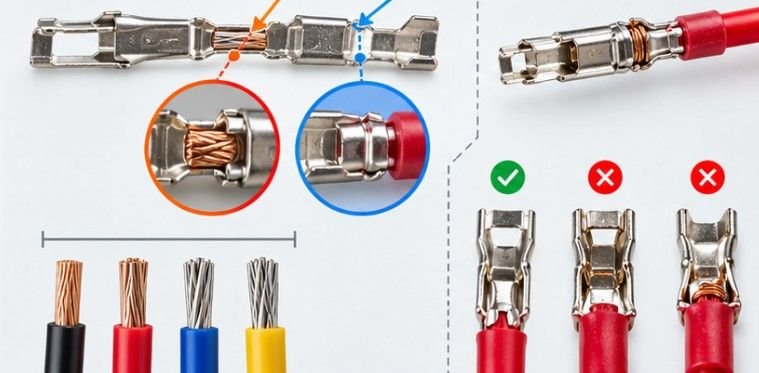
A tool should not earn a permanent place on your bench because its package says “JST compatible.” Test it. Start with the exact wire and terminals you normally use. Strip only enough insulation for the conductor wings to surround bare strands without trapping insulation underneath them.
Place the terminal in the correct die so the mating end remains untouched. Crimp it, then inspect the result under strong light.
The conductor wings should wrap tightly around the copper without cutting strands. The rear wings should secure the insulation without crushing it flat. The terminal itself should remain straight enough to slide easily into the housing. Finally, perform a moderate pull test.
NASA’s active workmanship standard for crimped cables and harnesses illustrates why this inspection mindset matters: reliable crimping is treated as a workmanship-controlled process, not simply as squeezing a connector until it looks closed.
After assembling the housing, I would also check electrical continuity. A CUNY electronics lab manual recommends using a multimeter to verify continuity after cable crimping, which is an easy habit to adopt at a home workbench.
What to Check Before Buying
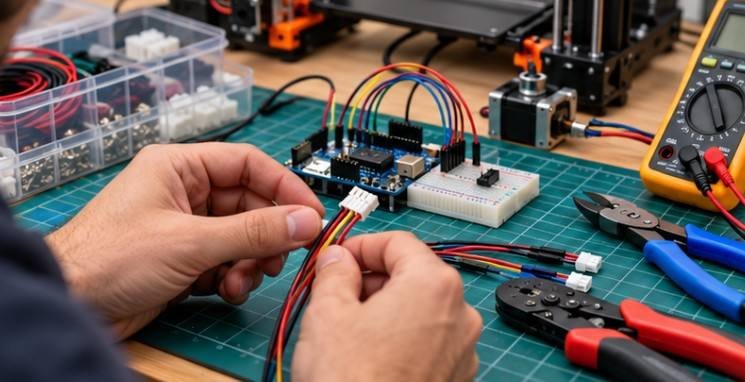
Do not choose by connector pitch alone. For heavier workshop equipment, there is also a separate guide to the best battery grease gun for farm equipment.
- First identify the actual terminal family. “JST” can refer to several series with substantially different contacts. Then check the manufacturer’s recommended wire range and compare it with the AWG you actually use.
- Next, look at die geometry. You want a tool meant for non-insulated open-barrel contacts, not insulated automotive terminals or ferrules.
- Then decide whether repeatability or control matters more. Ratcheting tools make repeated hobby crimps faster. Manual precision tools are slower but can be easier to finesse around extremely small contacts.
- There is also no universal crimper that is ideal for every JST, Dupont, Molex, servo, and PC connector. Makers who regularly move between micro connectors and larger power terminals eventually benefit from owning more than one tool.
FAQ
1. Can one crimping tool handle both JST and Dupont connectors?
Yes, for certain terminal sizes. Tools such as the SN-2549 cover many common JST and Dupont applications, but extremely small JST contacts may require finer dies or a precision tool.
2. Is the Engineer PA-09 better than the IWISS SN-2549?
The PA-09 gives better tactile control on tiny contacts. The SN-2549 is faster and easier for general-purpose maker wiring because its ratcheting mechanism completes both crimps together.
3. What wire gauge is common for JST and Dupont connectors?
Many hobby electronics projects use roughly AWG 20–28, although smaller JST families can use finer wire. Always match the wire to the exact contact manufacturer’s specification.
4. Should I solder a JST terminal after crimping?
Normally, no. A properly selected terminal, wire, and crimping tool should create the mechanical and electrical connection without solder being added afterward.
The Tool Matters, but the Finished Crimp Matters More
The best wire crimping tool for JST and Dupont connectors is not simply the model with the most die sizes. It is the one that matches the terminal, wire gauge, and amount of control your projects require.
For a typical US hobby electronics bench, I would buy the IWISS SN-2549 first because it balances cost, repeatability, and connector coverage exceptionally well. Choose the Engineer PA-09 when tiny contacts dominate your projects, and consider the SN-28B when Dupont and larger open-barrel pins make up most of your work.
Then inspect every new crimping setup before trusting it. A connector that looks almost right is exactly the kind that creates intermittent failures months later.