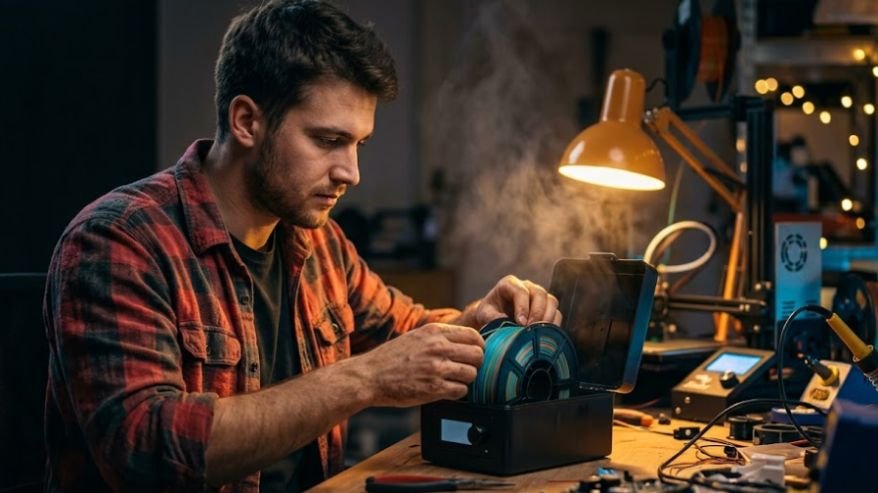
Stringy, bubbly prints usually trace back to one sneaky cause: moisture hiding inside your spool. Once you understand how to dry 3d printer filament properly, ruined prints and wasted plastic become a rare event instead of a weekly headache. This guide walks through why filament gets wet, how to fix it safely at home, and how to keep it dry for good using tools you probably already own.
Key Takeaways
Filament absorbs moisture from the air, causing weak, stringy, or bubbly prints. Low, steady heat over several hours pulls trapped moisture back out safely. Never exceed your filament’s glass transition temperature while drying, or the spool can warp. Ovens, dehydrators, dryer boxes, and heated beds all work when used correctly. Airtight storage with silica gel keeps a dried spool dry for months afterward.
Why Filament Drying Actually Matters
Picture spending an evening designing the perfect part, only to watch it come off the bed covered in tiny bubbles and hairy strings.
That mess is usually wet filament sabotaging your print, not a bad slicer setting. Learning how to dry 3d printer filament turns that frustration into a quick fix instead of a mystery, reducing your plastic waste, your time, and your patience.
Why Filament Soaks Up Moisture
Most 3D printing filament is hygroscopic, meaning it naturally pulls water vapor from the air. The plastic is built from long molecular chains, and tiny gaps between them give water molecules a place to settle in. Enough buildup interferes with how evenly the plastic melts and flows through the nozzle.
Materials That Soak Up Water Fastest
Nylon, PVA, and TPU are the thirstiest filaments, and they can absorb enough moisture in a single humid night to ruin a print. PETG sits in the middle, while PLA is more forgiving but still benefits from a dry spell after weeks left open.
Warning Signs Your Filament Is Wet

A little detective work before hitting print saves hours of frustration later. Listen as filament feeds through the hot end, since popping or crackling usually means trapped water turning to steam mid-extrusion. Rough surfaces, visible bubbles, and stringing are other common giveaways of a damp spool.
The Diameter And Sound Test
Grab a caliper and measure the filament’s diameter at a few spots, since swollen plastic reading noticeably thicker than spec is a strong clue it has absorbed water. Combine that with a short test extrusion, and you will know within a minute whether drying is actually needed.
How To Dry 3D Printer Filament Step By Step
The core idea behind how to dry 3d printer filament is simple: apply gentle, steady heat for several hours to bake out moisture without softening the plastic. Every method below follows that principle, just with different equipment and timing.
Recommended Temperatures And Times
Staying under each material’s glass transition point keeps the spool from warping or fusing together.
| Filament | Temperature | Time |
| PLA | 45–55°C (never exceed 60°C) | 4–6 hours |
| PETG | ~65°C | 4–6 hours |
| ABS | 70–80°C | 4–6 hours |
| Nylon / TPU / PA | 70–80°C | 6–8+ hours |
Picking The Right Heat Source
Any appliance that holds a steady low temperature for hours can do this job, from a dedicated dryer box to a kitchen oven. The right choice usually comes down to what you already own and how often you print moisture-sensitive materials like nylon or Thermoplastic polyurethane (TPU).
Understanding how robot sensors work also explains how temperature sensors provide feedback that helps filament dryers and heated beds maintain steady, material-safe heat.
Best Filament Drying Methods To Try At Home
Once you know the target temperature, the method itself is mostly about consistency and patience. These four options cover almost every setup, from a first spool to a small print farm.
Dedicated Filament Dryer And Food Dehydrator
A dedicated filament dryer, like an eSUN or Sunlu unit, is the safest and most reliable choice because it is purpose built for this job. Load the spool, set the temperature for your material, and let it run, and some models even let you print straight from the dryer.
A standard round food dehydrator is a great budget alternative, since removing the center trays leaves room for a spool and slow, even heat rarely causes sudden spikes.
Kitchen Oven And Heated Bed Method

An oven can dry filament well, but it often overshoots its set temperature while preheating, which can melt a spool in minutes if you are not careful. Set the oven to its lowest setting, wait until it stabilizes, then place the spool on a lined tray and prop the door open slightly so moisture can escape.
If you would rather skip the oven, your printer’s heated bed works too. Set it to the target temperature, place the spool on top, and cover it with a vented cardboard box for four to six hours.
Avoid Overdrying Your Filament
More heat and more time is not automatically better, and this part gets skipped in most guides. Filament dried too aggressively, or too often, can lose the small amount of natural moisture that keeps it slightly flexible.
The result is brittle plastic that snaps easily and prints with tiny surface cracks, especially with nylon, TPU, and carbon fiber blends. A good rule is to dry only when symptoms show up, then store the spool properly so it does not need repeat drying.
Storing Filament So It Stays Dry

Drying a spool once is only half the job if you want it to stay dry. An airtight container with a few silica gel packets is the cheapest, easiest long term solution for most hobbyists. Indicating gel changes color as it saturates, so recharging it in a low oven for an hour keeps it working indefinitely.
Vacuum Sealing For Long Storage
For spools that will sit untouched for months, a vacuum sealed bag with a fresh desiccant packet offers noticeably stronger protection than a standard bin. Pulling the air out slows moisture absorption dramatically, which matters most for thirsty materials like nylon or PVA.
Frequently Asked Questions
1. How long does it take for PLA to dry out?
PLA filament typically needs four to six hours at roughly 45 to 55°C inside an oven, food dehydrator, or dedicated filament dryer to remove trapped moisture and print reliably again.
2. Can I dry PLA filament in the microwave?
Microwaves heat plastic unevenly and can scorch or melt a spool within seconds, so they are never a safe choice. Stick with an oven, dehydrator, or filament dryer for controlled, even results instead.
3. How do you dry 3D printer filament without a dryer?
A kitchen oven set to its lowest temperature, a standard food dehydrator, or your printer’s heated bed covered with a vented box can all dry filament effectively without buying dedicated equipment.
Dry Spools, Happy Prints: Wrapping It Up
Getting comfortable with how to dry 3d printer filament is one of the easiest upgrades you can make to your printing routine. Watch for warning signs, match your method and temperature to the material, avoid overdoing it, and store finished spools properly afterward. Stick with that habit and you will notice fewer failed prints, stronger parts, and a lot less wasted filament in the trash.