I start evaluating a robot with the job it needs to perform: what it must lift, where it must move, and how precisely it must work. An impressive headline number means little until those requirements are clear. Learning how to read a robot specification sheet helps turn unfamiliar measurements into practical decisions.
This guide focuses on industrial robot arms, including collaborative models. Mobile robots and humanoids add other considerations, such as battery runtime, navigation, and balance.
Confirm the Model and Configuration First
Check the complete model designation, document revision, controller, and included options. Similar names can describe robots with different reach, payload, protection, or software.
A photograph may show an optional gripper or vision system. Confirm what the quoted configuration includes. Keep the detailed manual beside the specification sheet because load diagrams and installation requirements often appear there.
Read the units carefully. Payload commonly appears in kilograms, reach in millimeters, joint speed in degrees per second, and tool speed in meters per second. Convert measurements consistently before comparing models.
Calculate Payload With Everything Attached
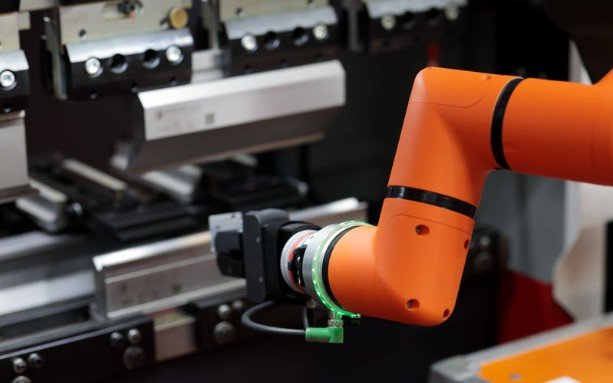
Payload is the permitted load carried at the tool flange under the manufacturer’s specified conditions. It includes the workpiece and attached tooling.
Imagine a gripper weighing 1.2 kilograms, a part weighing 2 kilograms, and an adapter weighing 0.3 kilograms. Their combined load is 3.5 kilograms. Selecting a robot based only on the part’s weight would overlook 1.5 kilograms.
Check Center of Gravity, Moment, and Inertia
Total mass is only the starting point. A long gripper positions weight farther from the flange, increasing the turning effect on the wrist. If you are also diagnosing gripper control signals, a USB logic analyzer review can help you compare tools for that separate task.
Review permitted center-of-gravity distances, wrist moments, and inertia limits. Moment describes a turning effect; inertia describes resistance to changes in rotational motion. A load can meet the mass limit while exceeding another limit.
Follow the specific robot’s load chart. Avoid assuming every arm loses payload simply because it extends farther from its base.
Read the Working Envelope Beyond Maximum Reach
Maximum reach describes an outer limit measured from a defined reference. Check the manufacturer’s drawing to understand that reference.
The working envelope shows where the robot can move. Joint restrictions, mounting orientation, fixtures, and the required tool angle affect access.
A robot might reach a position but lack room to approach it correctly. Check pickup, placement, intermediate positions, and clearance for the complete tool. For compact workshops or teaching benches, include the controller, cables, and guarding when assessing space.
Separate Repeatability From Accuracy
Repeatability describes how consistently the robot returns to the same commanded pose under stated test conditions. Accuracy describes how close its achieved pose is to the intended reference pose. A robot can repeatedly return to nearly the same location while that location remains offset from an external coordinate.
Look for the test method beside the figure, such as ISO 9283. Also distinguish positioning performance from performance while following a moving path. Assembly, dispensing, and inspection can impose different requirements.
Compare Speed With the Actual Cycle

Joint speed describes angular motion, while tool-center-point speed describes linear motion at the TCP. Neither figure directly tells you how many finished parts the system produces. Acceleration, travel distance, gripping, sensing, settling, and equipment delays all affect cycle time.
When applying how to read a robot specification sheet, compare a representative task rather than isolated maximum speeds. Ask for simulation or testing using your load, movement path, and operating settings.
Check Axes, Installation, and Connections
Axis count indicates motion capability. Six-axis arms commonly provide flexibility for positioning and orienting tools, while other arrangements suit simpler tasks. More axes do not automatically improve an application.
Check mounting permissions, base dimensions, robot weight, and support requirements. Confirm supply voltage, maximum power demand, and typical consumption separately.
Review digital and analog I/O, communication interfaces, tool voltage, and available current. A compatible connector alone does not establish electrical or software compatibility.
Read Environmental and Safety Qualifications
An IP rating describes protection against ingress of solids and water. Check whether it applies to the arm, wrist, controller, or particular components. Temperature limits can include performance reductions. Also check humidity, contamination, and cleaning restrictions.
Safety functions describe particular capabilities. A collaborative label does not establish that every installed application can operate safely beside people. The tool, workpiece, motion, and surrounding equipment require assessment together.
Frequently Asked Questions
1. What should beginners check when learning how to read a robot specification sheet?
Start with configuration, total attached load, working envelope, and positioning requirements. Then check installation, interfaces, operating conditions, and the detailed manual’s limitations.
2. Does a Larger Payload Rating Mean a Better Robot?
It means greater stated load capacity under specified conditions. Suitability still depends on access, motion, tooling, connections, and the task.
3. Can Published Runtime Predict a Mobile Robot’s Working Shift?
Only when the test conditions resemble its work. Check load, movement, battery capacity, charging time, and whether battery replacement interrupts operation.
My Final Take
I treat specifications as connected requirements. Before choosing a robot, I would verify the complete load, trace its required movements, and confirm compatibility with the workspace and equipment. That process makes a short specification sheet far more useful than a comparison of headline numbers.