A Raspberry Pi can tolerate plenty of coding mistakes, but it is far less forgiving of bad power. I have seen projects that looked like software failures turn out to be nothing more than an undersized adapter, cheap USB cable, unstable battery circuit, or overloaded power rail.
When learning how to power a Raspberry Pi project safely, I start with one rule: provide stable, regulated 5V power, use a supply that meets the current requirements of the exact Pi model, and protect the board from voltage spikes, shorts, and high-current peripherals.
What Power Supply Does My Raspberry Pi Need?
Raspberry Pi models do not all have the same power requirements. Current official guidance recommends 5V at 5A for Raspberry Pi 5 when you want the full peripheral power budget, while Raspberry Pi 4 typically needs 5V at 3A. Raspberry Pi 3 models generally use 5V at 2.5A, while the Zero family requires less current depending on the specific board.
For Raspberry Pi 5, I prefer the official 27W USB-C supply when the project includes SSDs, cameras, cooling, or other USB devices. Pi 5 can operate from a compatible 5V/3A supply, but it restricts the USB peripheral current budget when full 5A power is not available.
A higher current rating does not automatically damage the board. A 5A supply does not force 5A through a Raspberry Pi that needs less. The Pi draws the current required by its load, provided the supply delivers the correct voltage.
Why Is 5V or 5.1V Power Important?
A Raspberry Pi needs a stable 5V rail. Raspberry Pi documentation specifies 5.1V supplies for many official adapters because the slight increase helps compensate for normal voltage loss through the cable.
Voltage that drops too low can cause Raspberry Pi undervoltage, random restarts, USB disconnects, SSD problems, freezes, or corrupted storage.
Cable quality therefore matters almost as much as the power adapter. I avoid unnecessarily long, thin USB cables, especially on high-current projects. A short, good-quality cable reduces resistance and voltage drop.
Can I Use a Phone Charger for a Raspberry Pi?

Some phone chargers work perfectly, but I would not choose one simply because the connector fits.
A Raspberry Pi runs as a continuous computer load rather than charging a battery. The charger must deliver the required voltage and current reliably under sustained CPU, USB, and storage loads.
For Raspberry Pi 5, USB Power Delivery also deserves attention. The Pi still uses a 5V rail and does not simply accept higher PD voltages such as 9V or 12V as a substitute. Raspberry Pi recommends 5V at 5A when maximum peripheral power is required.
For permanent installations, I prefer an official or reputable Raspberry Pi-compatible power supply rather than an unknown adapter.
Is It Safe to Power a Raspberry Pi Through GPIO Pins?
Technically, a Raspberry Pi can be supplied through its 5V GPIO rail in some projects, but I avoid doing this unless the power system is carefully designed.
Feeding power through GPIO (A general-purpose input/output) can bypass parts of the normal power-input path and its safeguards. Incorrect voltage, reversed polarity, a wiring mistake, or a regulator failure can damage the board quickly.
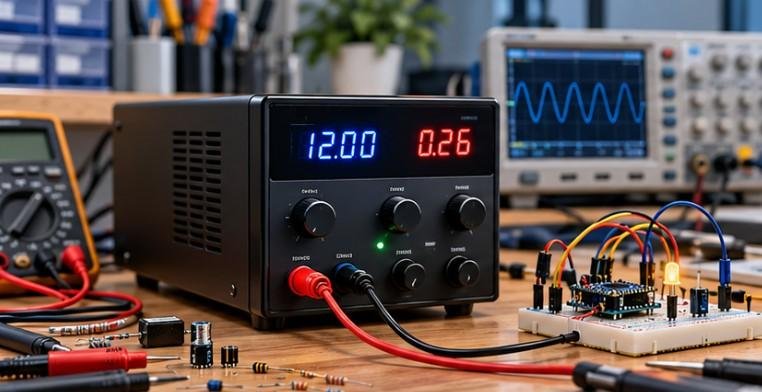
If I must use GPIO power, I use a quality regulated supply or dedicated power HAT and verify the output with a multimeter before connecting the Pi.
For beginners, powering through the USB-C or Micro-USB input remains the safer option.
How Do I Power a Raspberry Pi From a Battery?
Portable robots, remote sensors, and mobile Raspberry Pi projects often need battery power. I never connect an unsuitable lithium battery directly to the Pi.
A safer battery setup uses appropriate battery protection and voltage regulation. A UPS HAT, battery HAT, or properly designed 18650 power board can provide charging control, over-discharge protection, short-circuit protection, and regulated output.
For higher-voltage battery systems, I use a DC-to-DC buck converter.
For example, a 12V automotive battery or 3S/4S LiPo system could follow this power path:
12V battery → fuse → buck converter → regulated 5V supply → Raspberry Pi.
Before plugging in the Pi, I always measure the converter output and confirm that it remains stable under load.
How Should I Power Motors, Servos, and Relays?
Motors, servos, and large relay coils can create serious power problems if they share the Raspberry Pi’s supply incorrectly.
A motor may draw a large surge of current when starting or stalling. That surge can pull down the 5V rail and reboot the Pi. Motors can also introduce electrical noise.
I normally power the Raspberry Pi from its regulated supply and power motors or high-current loads through their own suitable battery or external supply and driver circuit.
When control signals require the circuits to share a voltage reference, the external power-system ground and Raspberry Pi ground may need to be connected correctly. I still keep the positive motor supply separate from the Pi’s regulated 5V rail.
Can a Powered USB Hub Damage a Raspberry Pi?
Powered USB hubs can solve peripheral power problems, but poorly designed hubs may create another issue: USB backpowering.
Some hubs can feed voltage backward through the USB connection toward the Raspberry Pi. That can bypass the intended power-input path and create unpredictable behavior, especially if the Pi also has its normal supply connected.
I use reputable powered hubs that are designed not to backfeed power through the upstream connection.
This becomes particularly relevant when a project uses multiple SSDs, cameras, or USB accessories that exceed the Pi’s available USB power budget.
How Can I Detect Raspberry Pi Undervoltage?
When a Raspberry Pi behaves strangely, I check the power system before assuming the operating system is broken. Random reboots, storage errors, USB devices disappearing, instability during CPU-heavy tasks, or low-voltage warnings can indicate insufficient power. This kind of troubleshooting is also useful when building a simple transistor switch circuit for beginners, since unstable power can affect both the Pi and the external components it controls.
Raspberry Pi 5 also changes the available USB peripheral current depending on the detected supply. With a suitable 5A supply, more current becomes available for downstream USB devices than when the board is running from a 3A supply.
I test power stability under the heaviest expected workload, not just while the Pi sits idle.
How Do I Prevent Data Corruption During Power Loss?
Safe power is not only about preventing electrical damage. Sudden power loss while Linux is writing to a microSD card or SSD can corrupt data.
I shut the Pi down properly before removing power whenever possible.
For unattended systems such as home servers, security cameras, automation controllers, or data loggers, a UPS HAT or battery backup can provide enough time for a controlled shutdown.
Power over Ethernet can also be useful for fixed installations. With compatible Raspberry Pi hardware and the correct PoE HAT, one Ethernet cable can deliver both network connectivity and power.
What Raspberry Pi Power Mistakes Should I Avoid?

The mistakes I see most often include choosing a charger only because its connector fits, ignoring cable voltage drop, using an undersized DC converter, powering motors directly from the Pi, wiring batteries without protection, injecting unverified voltage through GPIO, and using questionable powered USB hubs.
I also calculate the total project load rather than looking only at the Raspberry Pi.
My basic calculation is:
Pi current + USB devices + SSD + display + cooling + HATs + other peripherals + safety margin
Planning for peak current rather than average current makes the entire project more reliable.
Frequently Asked Questions (FAQs)
1. Can I use a 5V 5A power supply with a Raspberry Pi 4?
Yes, provided the supply offers the correct compatible 5V output. A higher available current rating does not force excess current into the Pi.
2. Can I power a Raspberry Pi directly from 12V?
No. Use a properly rated DC-to-DC buck converter to reduce the voltage to the required Raspberry Pi input level.
3. Why does my Raspberry Pi restart when a motor starts?
The motor may cause a sudden current surge that drops the supply voltage. Use an appropriate motor driver and a separate power path rather than drawing motor current from the Pi.
4. Does Raspberry Pi 5 need a 5A power supply?
Raspberry Pi 5 can operate from a compatible 5V/3A supply, but Raspberry Pi recommends 5V/5A when you need the full USB peripheral power budget.
5. Is a USB power bank safe for Raspberry Pi?
A quality power bank can work well if it provides stable output at the voltage and current your Raspberry Pi and connected peripherals require.
Final Thoughts
Understanding how to power a Raspberry Pi project safely means thinking about the entire electrical system rather than only the wall adapter.
I match the supply to the Pi model, allow enough current for peripherals, use good cables, regulate battery voltage, isolate motors and other high-current loads, avoid risky GPIO powering, protect against USB backpowering, and plan for safe shutdown.
If I am unsure about a power setup, I measure the voltage first. That simple habit can save a Raspberry Pi, an SD card, and several frustrating hours of troubleshooting.
For beginners building robots, servers, smart-home systems, or electronics projects, mastering how to power a Raspberry Pi project safely is one of the easiest ways to make the finished project more stable and dependable.