Stepping into digital fabrication used to require deep industrial programming knowledge, yet a compact desktop fabrication setup changes the game entirely. Watching a machine carve raw stock into precise components feels like magic, especially when a computer-guided tool handles the dirty work. Finding the best desktop CNC machine gives you the power to shape engineering plastics, hardwoods, and light metals right from your own desk.
The Ultra Compact Out of the Box King
Finding a machine that works perfectly right after opening the shipping container is essential for small workspaces. The Carbide 3D Nomad 3 stands out as the best overall desktop CNC mill because it arrives fully assembled and operates with minimal noise. Priced around $2,800, this compact system delivers industrial grade accuracy without requiring a massive garage space.
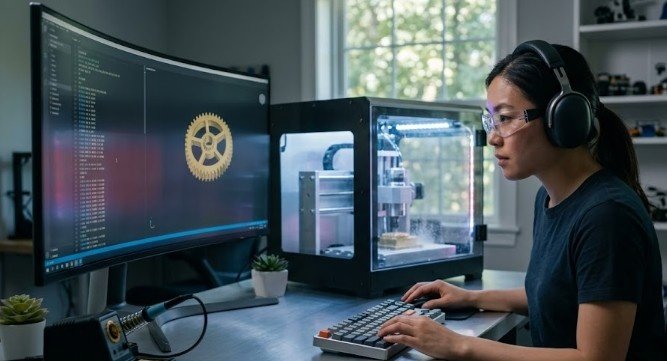
The fully enclosed cabinet completely traps flying wood chips, dense plastic shavings, and loud cutting noises inside the machine. This structural design allows you to safely machine intricate aluminum prototypes or custom jewelry pieces right next to your home computer. The included software bundle guides beginners through the initial calibration steps without any complex programming stress.
Robotics beginners love this platform because it removes the intimidation factor often associated with traditional workshop machinery. The automatic tool length measurement ensures your cutting depths remain flawlessly consistent across every single project. It serves as a true plug and play tool that values your limited time and space.
High End Prototyping and Smart Tooling Solutions
Transitioning to advanced multi functional manufacturing platforms unlocks incredible design freedom for complex engineering projects. The highly celebrated Makera Carvera is a flagship smart system priced around $5,499 that is specifically built for professional grade rapid prototyping. It introduces an automatic tool changer that swaps out cutting bits without any manual intervention during a build sequence.
This enclosed powerhouse features a high speed 15,000 RPM spindle alongside integrated laser engraving modules and true four axis machining capabilities. Beginners can easily transition from carving dense hardwoods and sleek aluminum blocks to tracing high precision custom circuit boards. The internal sensor array monitors the entire cutting process to prevent accidental tool breakage.
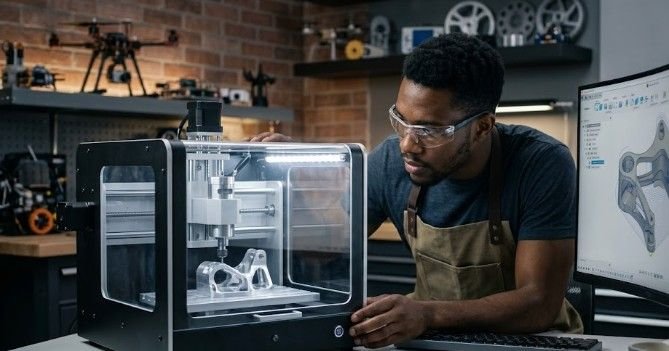
If you want a versatile hybrid setup, the Snapmaker Artisan 3-in-1 provides a completely different take on multi tool flexibility. This heavy duty system combines a powerful 200W CNC carving module, a 40W laser cutter, and a dual extrusion 3D printing head on a single chassis. It allows small workshops to handle additive and subtractive manufacturing tasks within a singular workspace footprint.
Extreme Precision for Electronics and Jewelry Makers
Creating intricate circuit boards and small detailed metal components requires absolute mechanical stability and higher spinning speeds. The Bantam Tools Desktop CNC starts around $4,295 and targets engineers who demand tight physical tolerances. It delivers an astonishing five micron precision rating that ensures tiny traces on electronic components remain perfectly clean.
Featuring a blazing fast 50,000 RPM spindle, this specialized milling center glides through non ferrous metals and jewelry waxes effortlessly. The compact workspace is heavily optimized to minimize vibration, which keeps your finished parts free of rough surface marks. The accompanying software provides real time visual previews so you can check your alignment before cutting.
This platform completely eliminates the guesswork when handling expensive raw materials like brass, copper, or silver blocks. The software automatically detects material sizes and provides guided walkthroughs for complex multi sided milling jobs. It remains a top choice for small scale laboratories and custom engineering environments.
Affordable Automation Under One Thousand Dollars
Stepping into digital modelling and fabrication does not require spending your entire life savings on industrial shop equipment. The Jitsu 440 Pro Max breaks the price barrier by offering a highly capable desktop fabrication platform for under $1,000. It provides budget conscious beginners with a generous 16 by 16 by 3 inch workspace area.
Constructed with a rugged all aluminum frame, this machine utilizes heavy lead screws and linear rails to guide the tool head smoothly. These mechanical components allow the system to carve through dense hardwoods and soft aluminum panels without skipping crucial navigation steps. It offers a fantastic training ground for learning the core fundamentals of automated cutting.
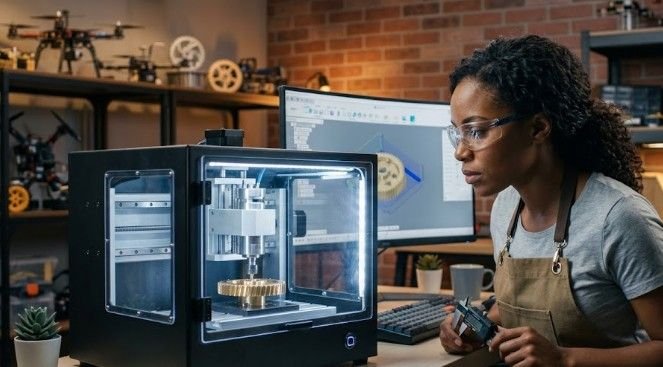
Assembly is straightforward, allowing you to learn the inner mechanical workings of the machine as you piece it together. The open layout makes it easy to add custom vacuum attachments or upgraded workpiece clamps down the road. It delivers a perfect balance of expansive workspace volume and entry level affordability.
Expansive Work Areas for Larger Woodworking Projects
Hobbyists who want to manufacture large wooden signs or custom furniture components require a much larger table footprint. The Laguna Tools Creator and IQ series offer professional grade rigidity on a convenient benchtop scale, with prices starting around $5,499. These systems typically provide expansive bed sizes ranging from two by three feet to two by four feet.
Equipped with industrial grade robust spindles and heavy cast frames, these routers handle deep cutting passes without flexing or shaking. The industrial control systems read standard manufacturing files directly from a simple flash drive, completely bypassing the need for a dedicated shop computer. They bridge the gap between small hobby tools and massive industrial production machinery.
For makers working with a tighter budget, the Genmitsu PROVerXL 6050 Plus delivers a spacious alternative for large carving tasks. Available from SainSmart, this powerhouse features dual linear rails that support stable tool head travel across a wide table workspace. It allows you to tackle expansive architectural models and large home decor projects without sacrificing edge accuracy.
Operating Your Automated Fabrication System Comfortably
If you’ve ever tried your hands on robotics kit for beginners then you know the drill. Operating your new workshop equipment safely requires following a systematic sequence to protect the machine components. The entire process follows a simple, repeatable workflow once you understand how the digital files communicate with the physical hardware.
The digital creation process begins inside a computer aided design program where you sketch the physical shape of your part.
Next, computer aided manufacturing software calculates the absolute best path for the cutting bit, adding safety margins so the tool never crashes. This paths file translates into common instructions, which act as step by step navigation coordinates for the machine controller.
+———————+ +———————+ +———————+
| 1. Design Shape | –> | 2. Calculate Paths | –> | 3. Convert G-code |
| (CAD Software) | | (CAM Software) | | (Navigation Steps) |
+———————+ +———————+ +———————+
|
+———————+ +———————+ v
| 6. Vacuum & Cleanup | <– | 5. Execute Cut | <– | 4. Secure Stock |
| (Clear Chips Safely)| | (Keep Hands Clear) | | (Clamps / Tape) |
+———————+ +———————+ +———————+
Before turning the spindle motor on, you must secure your raw material to the wasteboard using strong hold down clamps. A loose piece of material will instantly spin out of control, breaking your expensive cutting bit and creating a serious safety hazard.
Use an electronic probe to automatically locate the exact starting corner of your material before pressing the start button. Keep the safety enclosure closed during operation to trap fine sawdust and loud cutting noises inside the cabinet.
Frequently Asked Questions
1. Who makes the best desktop CNC?
Carbide 3D and Makera build the most reliable and user friendly automated desktop systems for home workshops. They pair incredibly rigid mechanical hardware with highly intuitive control programs to give you the best desktop CNC machine experience possible.
2. What is the best brand of CNC machines?
Carbide 3D remains the top brand for North American hobbyists due to their excellent customer support and durable Nomad series. For premium automated features like automatic tool changers, Makera stands out as the smart luxury leader.
3. Are there desktop CNC machines?
Yes, a wide selection of compact consumer fabrication machines are specially engineered to sit comfortably on standard home workbenches. These systems run safely on regular household electrical outlets and require no special industrial wiring.
4. How much does a desktop CNC machine cost?
Basic starter kits cost between $150 and $500 for lightweight plastic engraving projects. High quality, fully automated desktop platforms capable of cutting aluminum and dense wood generally range from $1,200 to $5,500.
Carve Your Path to Creative Freedom
Investing in the best desktop CNC machine turns your personal living space into a high powered fabrication studio. Modern hardware removes the technical guesswork, allowing you to focus completely on the creative joy of building physical prototypes. Choose a rigid, reliable system that matches your workflow goals, follow standard workshop safety protocols, and enjoy the rewarding process of automated manufacturing.