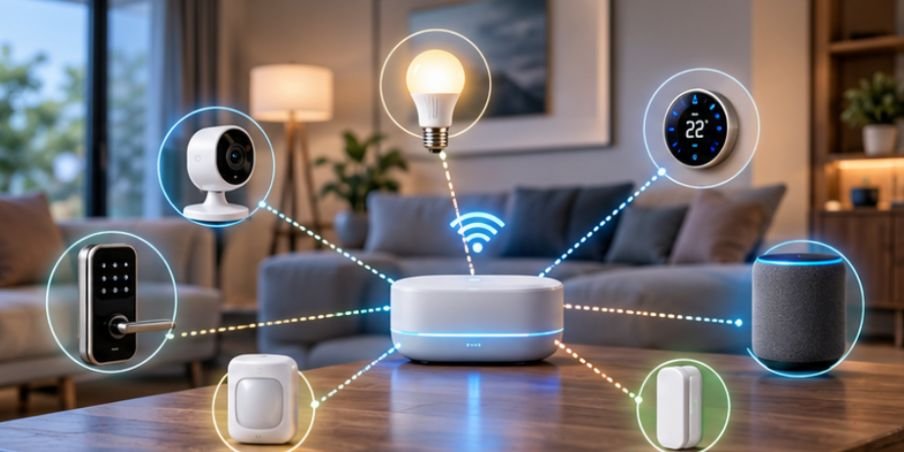
The biggest smart-home mistake is buying by brand before checking how the device communicates. Two products can both say “works with Alexa” yet depend on completely different networks, hubs, power needs, and failure points.
That is why smart home protocols explained for beginners matters more than it sounds. A protocol is simply a set of rules devices use to exchange information. Understand Wi-Fi, Zigbee, Z-Wave, Thread, Bluetooth, and Matter, and compatibility becomes much easier to predict.
First, Separate the Network From the Compatibility Layer
Smart-home technologies do not all perform the same job.
Wi-Fi, Zigbee, Z-Wave, Thread, and Bluetooth describe ways devices communicate. Matter is different: it is an interoperability standard that defines how compatible products identify themselves and expose functions such as switching, dimming, locking, or sensing.
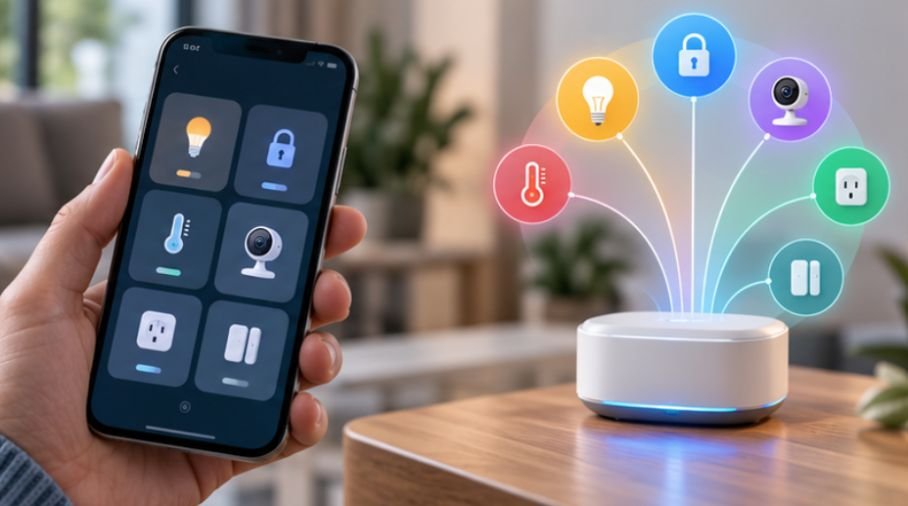
The Connectivity Standards Alliance describes Matter as a standard built to improve cross-brand interoperability and reliable local connectivity. Matter commonly runs over Wi-Fi, Ethernet, or Thread, while Bluetooth Low Energy is frequently involved during device setup. So a Matter-over-Wi-Fi plug and a Matter-over-Thread sensor can appear inside the same smart-home platform while using different underlying networks.
Wi-Fi: Familiar and Fast, but Power-Hungry
Wi-Fi is convenient because your router already supports it. Cameras, video doorbells, smart displays, and other bandwidth-heavy products benefit from its comparatively high throughput.
Beyond connectivity, Wi-Fi smart plugs can also help homeowners understand how much electricity individual appliances consume. When integrated with Home Assistant, compatible energy-monitoring plugs can track power usage and support automations based on consumption patterns. Explore this guide to smart plug energy monitoring with Home Assistant to learn how energy data can make a smart home more efficient and responsive.
Its weakness is efficiency. Battery sensors usually gain little from maintaining a conventional Wi-Fi connection.
There is also no universal “30-device” Wi-Fi limit. Basic routers may struggle with dense IoT networks, while more capable routers and access points can support far more. Network design, processor resources, signal strength, interference, firmware, and traffic patterns all matter.
Reliable Wi-Fi coverage is essential for keeping connected lights, smart plugs, cameras, and other network-dependent devices responsive throughout the home. If certain devices frequently disconnect or respond slowly in rooms farther from the router, learning how to improve Wi-Fi coverage for smart home devices can help you identify weak-signal areas, reduce connectivity problems, and build a more dependable smart-home network.
CISA treats the home router as an important security component because modern consumer IoT devices frequently rely on it for network and internet connectivity.
Zigbee: Low-Power Mesh for Sensors and Lighting
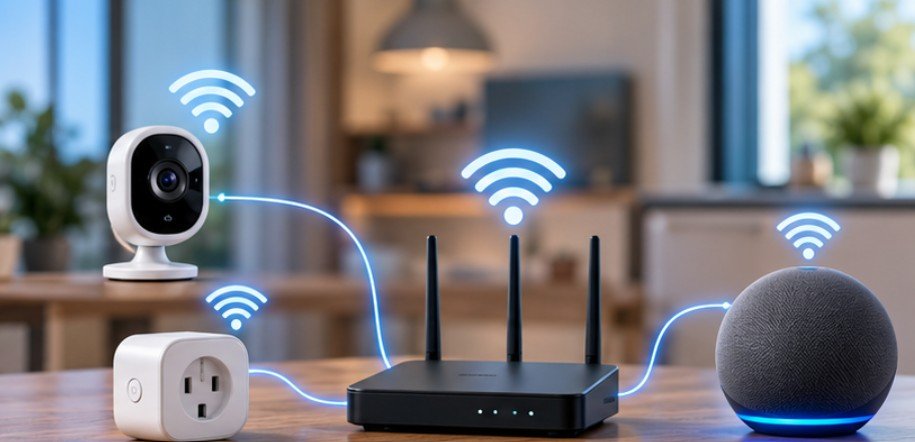
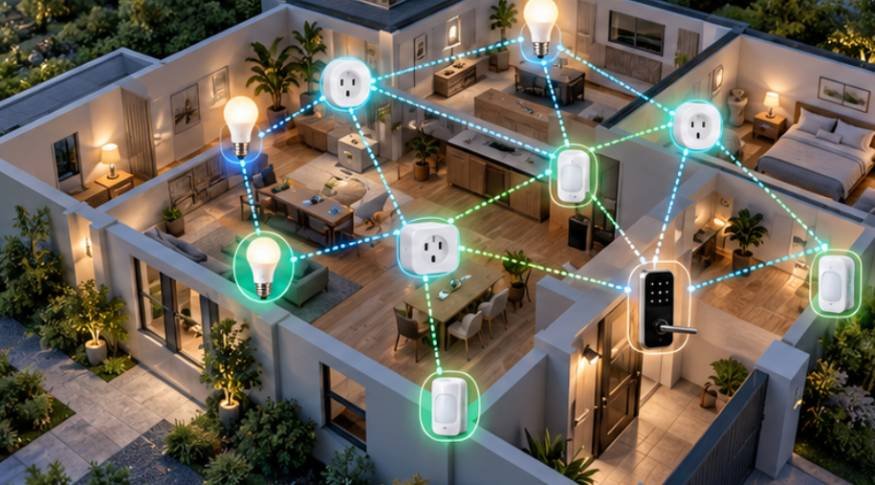
Zigbee is widely used for bulbs, motion sensors, contact sensors, plugs, and switches. Most familiar consumer implementations operate at 2.4 GHz, although the specification also supports other frequency bands.
Its major advantage is mesh networking. Suitable powered Zigbee devices can act as routers, forwarding messages and extending the network beyond the range of one coordinator. Battery-powered sensors generally avoid routing duties so they can conserve energy.
The Connectivity Standards Alliance describes Zigbee as a low-power, self-healing mesh technology with a large installed device ecosystem.
The tradeoff is infrastructure. A typical Zigbee smart home needs a coordinator or compatible hub. Because many Zigbee installations share the 2.4 GHz band with Wi-Fi, thoughtful channel selection can also improve reliability.
Z-Wave: Sub-GHz Mesh With a Home-Automation Focus
Z-Wave is another mesh technology, but U.S. products operate in sub-GHz frequency ranges rather than the 2.4 GHz band used by Wi-Fi and common Zigbee installations.
That distinction helps Z-Wave avoid direct interference from 2.4 GHz Wi-Fi and Bluetooth traffic. The Z-Wave Alliance lists U.S. frequency plans in the 900 MHz region and describes the technology as a low-power mesh designed specifically for residential and light-commercial control applications.
Z-Wave is frequently found in locks, switches, security sensors, alarms, and professionally installed automation systems.
Hardware can cost more than comparable Wi-Fi or Zigbee products, but many homeowners choose Z-Wave for its certification system, sub-GHz operation, and mature security-device ecosystem.
Thread: Low-Power Mesh Built Around IP
Thread is increasingly important in newer smart homes. It is a low-power, IPv6-based mesh network designed specifically for connected devices.
The Thread Group explains that battery-powered end devices can minimize energy consumption while powered router-capable devices help extend network coverage. A Thread Border Router connects the Thread network to adjacent IP networks such as Wi-Fi or Ethernet.
Understanding what a Thread Border Router is in a smart home can help you determine whether your existing setup supports Thread devices and what additional hardware you may need. Before buying Thread-enabled sensors, plugs, or locks, check border router compatibility to ensure your devices can communicate reliably with your smart-home ecosystem.
A border router should not be confused with a traditional proprietary smart-home hub. Thread also is not the same thing as Matter. Thread provides IP-based networking. Matter is an application and interoperability standard that can operate over Thread.
Bluetooth LE: Excellent for Nearby Devices and Setup
Bluetooth Low Energy works particularly well where devices need short-range communication without consuming much battery power. Smart locks, trackers, sensors, and device-onboarding systems commonly use BLE.
One misconception worth correcting is that Bluetooth cannot support mesh networking. The Bluetooth Special Interest Group maintains an official Bluetooth Mesh specification for interoperable many-to-many networks.
In everyday residential smart homes, however, ordinary point-to-point BLE connections and setup functions are still more familiar to consumers than whole-home Bluetooth Mesh deployments.
Matter: Compatibility Without Replacing the Radio
Matter attempts to solve one of the industry’s most persistent problems: devices that work with one smart-home ecosystem but not another.
Certified Matter products can operate across compatible platforms instead of being tied exclusively to one brand. That can make it easier to combine devices from different manufacturers and change ecosystems later.
But Matter cannot magically convert every old smart device into a Matter product.
A bridge may expose compatible Zigbee devices to a Matter ecosystem, for example, but those devices remain Zigbee devices underneath. Matter improves interoperability; it does not eliminate the networking technologies below it.
Quick Comparison for a U.S. Home
| Technology | Extra Hardware | Mesh? | Best Fit |
| Wi-Fi | Usually none | Usually no | Cameras, displays, smart plugs |
| Zigbee | Coordinator or hub | Yes | Sensors, bulbs, switches |
| Z-Wave | Compatible controller | Yes | Locks, security, switches |
| Thread | Thread Border Router | Yes | New sensors, plugs, locks |
| Bluetooth LE | Usually phone/controller | Optional | Setup, locks, nearby sensors |
| Matter | Depends on Wi-Fi or Thread setup | Uses underlying network | Cross-platform smart devices |
Use This Five-Minute Buying Test
Before purchasing anything, identify the underlying connection first. A Google Home, Alexa, or Apple Home logo does not tell you whether the product uses Wi-Fi, Thread, Zigbee, Z-Wave, or Bluetooth.
Next, check what infrastructure you already own. A Thread product may require a Thread Border Router. Zigbee and Z-Wave products commonly need compatible controllers.
Then ask what happens during an internet outage. Products with strong local-control capabilities may continue running automations inside the home, while cloud-dependent functions can disappear.
Security support deserves equal attention. NIST’s consumer IoT baseline emphasizes capabilities including software updates, cybersecurity-state awareness, data protection, and vulnerability management.
In the United States, the FCC has also developed the U.S. Cyber Trust Mark program to make cybersecurity information for qualifying consumer IoT products easier to identify.
Finally, buy one device before committing to twenty. Test signal range, local control, response time, app quality, and automation reliability where the product will actually be used.
Do Not Confuse Protocol Choice With Security
A protocol does not make a product secure by itself. Firmware quality, passwords, account protection, cloud infrastructure, update policies, and data collection practices also matter.
University of Michigan researchers found permission and event-security weaknesses while studying an earlier major smart-home platform, demonstrating that vulnerabilities can exist at the software-platform layer rather than the radio itself.
NIST research involving U.S. smart-home users has likewise found continuing uncertainty about security and privacy across categories including lighting, thermostats, sensors, security devices, and voice assistants.
The practical rule is simple: “supports Matter,” “uses Thread,” or “Z-Wave certified” should never replace checking the manufacturer’s update policy and support history.
Frequently Asked Questions
1. Which smart home protocol is best for beginners?
Wi-Fi is simplest for a few devices. Zigbee or Thread often become more attractive as you add low-power sensors, switches, and automations throughout the home.
2. Is Matter better than Zigbee or Z-Wave?
Not directly. Matter focuses on interoperability, while Zigbee and Z-Wave provide networking technologies. Your best option depends on devices, controllers, local control, and existing equipment.
3. Do Thread devices work without internet?
Local Thread communication can continue without internet service, although remote access and cloud-dependent features may stop. Exact behavior depends on the device and controller.
4. Can I mix smart home protocols?
Yes. A home can use Wi-Fi cameras, Zigbee sensors, Z-Wave locks, and Matter-over-Thread devices if its controllers or smart-home platforms support them.
Final Takeaway
The smartest home is not the one with the most radios; it is the one whose networking choices are deliberate. Once you have smart home protocols explained for beginners, the useful question becomes: “Which technology fits this device and this job?”
Use Wi-Fi where bandwidth matters, mesh networks where coverage and battery life matter, and Matter where cross-platform compatibility matters. Then verify local control, update support, and required controllers before buying. That simple habit prevents many of the expensive compatibility surprises that make smart homes feel harder than they should.