The cheapest smart sensor in your cart can become one of the most expensive devices in your house if it constantly drops offline, needs batteries every few months, or refuses to work with your automation platform.
That is why learning how to choose smart sensors for home automation starts with something more important than brand or price: understanding what the sensor must detect, how it communicates, and what should happen when the internet disappears.
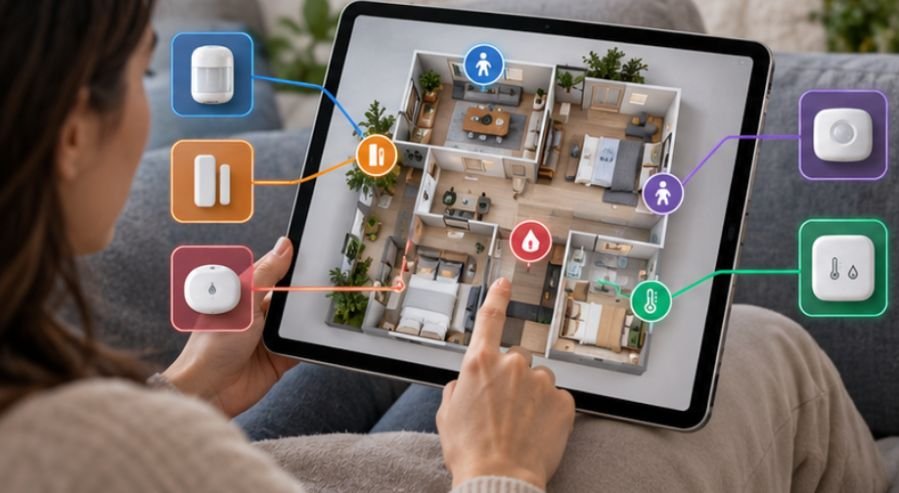
A reliable sensor should almost disappear into the background. It notices motion, temperature changes, water, doors, light levels, or human presence and quietly triggers the right response without requiring constant attention.
Start With the Automation, Not the Sensor
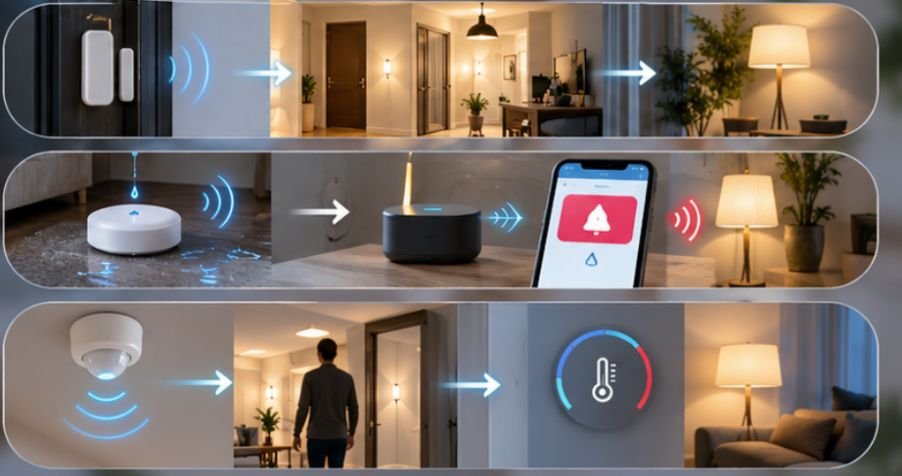
Before comparing specifications, write one sentence describing what you want to happen. For example: “When somebody enters the hallway after sunset, turn on the lights.”
That immediately tells you that you probably need motion detection and possibly illuminance sensing. Buying a sophisticated presence sensor with temperature, humidity, and multiple detection zones would add capabilities without necessarily improving that automation.
For a home office, however, traditional motion sensing may be insufficient. A person reading or working at a computer can remain almost motionless, causing lights controlled by a PIR sensor to switch off unexpectedly.
That is where millimeter-wave, or mmWave, presence sensing becomes useful. It can detect considerably smaller movements than conventional passive infrared motion detection.
Think in terms of outcomes first: intrusion detection, lighting automation, HVAC control, leak protection, room occupancy, comfort monitoring, or energy management.
Pick the Sensor Technology That Matches the Job
PIR Motion Sensors Work Well for Movement
Passive infrared sensors detect changes in infrared energy caused by people moving through their field of view.
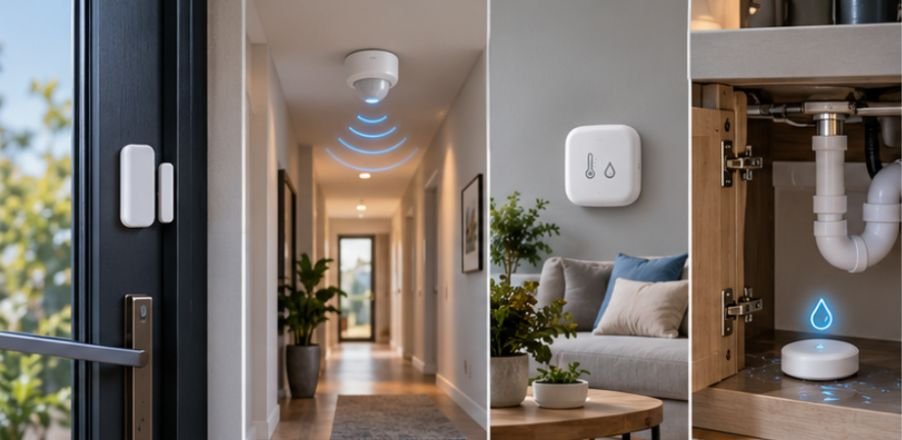
They are inexpensive, low-power, and excellent for hallways, staircases, closets, entryways, garages, and basic security automations.
Their weakness is stationary occupancy. Someone sitting quietly may eventually appear “absent.”
Presence Sensors Solve the Sitting-Still Problem
Modern mmWave sensors use radio-frequency sensing to identify subtle human movement. They are useful in offices, bedrooms, living rooms, and other places where people may remain seated.
Matter has also been expanding its occupancy-sensing capabilities. The Connectivity Standards Alliance added support for sensing technologies including radar and ambient sensing, along with sensitivity controls and improved event reporting.
Presence sensing usually consumes more power than basic PIR detection, so many high-performance devices use USB or permanent power rather than a small coin-cell battery.
Contact Sensors Are Simple but Extremely Useful
A magnetic contact sensor reports whether something is open or closed.
Placed on doors, windows, cabinets, mailboxes, or gates, it can trigger far more than security notifications. A window sensor could temporarily pause HVAC operation. A pantry sensor could activate lighting. A garage-door sensor could warn you that the door remained open.
Its simplicity is an advantage: fewer measurements generally mean fewer opportunities for false triggers.
Environmental Sensors Add Context
Temperature and humidity sensors can help manage bathrooms, basements, bedrooms, greenhouses, wine storage, or rooms that heat and cool differently from the thermostat location.
Temperature sensors can provide valuable context for smart-home climate control, particularly when different rooms experience uneven heating or cooling. When integrated with a compatible thermostat and automation platform, these readings can help homeowners make more informed decisions about temperature schedules and HVAC usage.
For a closer look at the potential financial benefits, explore whether smart thermostats actually save money and the factors that influence their energy savings.
Light-level sensors add another useful variable. Instead of turning a lamp on whenever motion occurs, an automation can activate it only when the room is actually dark.
Leak sensors deserve special attention. Place them near water heaters, washing machines, dishwashers, toilets, HVAC condensate equipment, and underneath sinks. A device costing relatively little can provide an early warning before a small plumbing failure becomes major property damage.
Choose the Network Before Buying Dozens of Sensors
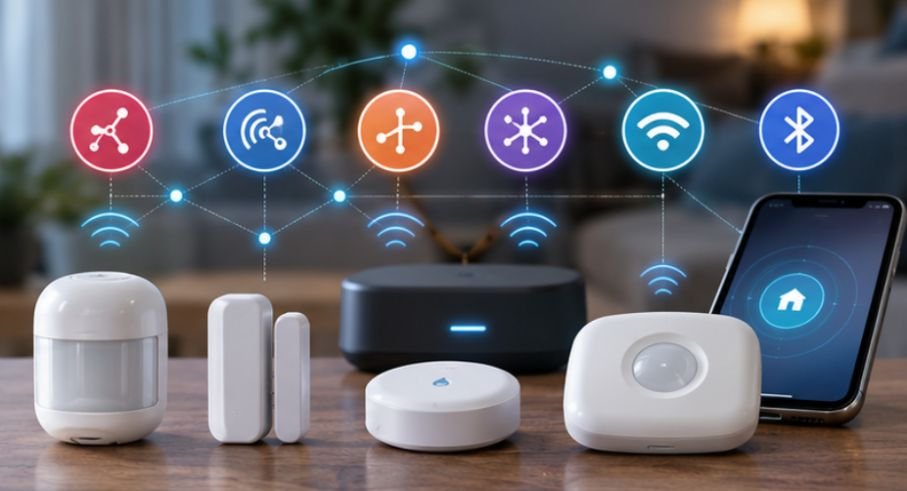
Knowing how to choose smart sensors for home automation also means understanding the radio network behind them. Wi-Fi, Zigbee, Z-Wave, Bluetooth, and Thread can all work, but they solve different problems.
Choosing the right network becomes easier when you understand how each smart-home protocol handles connectivity, power consumption, and interoperability. Before investing in multiple sensors, switches, or controllers, explore this guide to smart home protocols explained for beginners to compare Wi-Fi, Zigbee, Z-Wave, Thread, and Matter and determine which technologies best suit your automation requirements.
Zigbee and Z-Wave Remain Practical Choices
Both are established low-power technologies commonly used for sensors. Their mesh-network architecture can extend coverage through compatible powered devices acting as routers or repeaters. This makes them attractive when a home eventually contains dozens of sensors.
They normally require a compatible coordinator, controller, or hub, however. Before purchasing, verify that your particular hub supports the exact device—not simply the protocol printed on its packaging.
Matter and Thread Can Reduce Ecosystem Friction
Matter addresses interoperability at the application level, while Thread provides low-power IP-based networking that is particularly suitable for smart-home devices.
The Thread Group’s smart-home guidance explains that battery-powered devices can operate as low-power end devices while powered Thread routers extend the mesh. Thread is designed to remain responsive while supporting large networks.
Matter, meanwhile, can work over Thread, Wi-Fi, and Ethernet. The Connectivity Standards Alliance’s Matter guidance also explains that bridges can bring technologies such as Zigbee and Z-Wave devices into a Matter ecosystem.
Do not assume that a Matter logo means every feature works identically in Apple Home, Alexa, Google Home, SmartThings, or another controller. Check whether the platform exposes the measurements and automation capabilities you specifically need.
Wi-Fi Makes More Sense for Powered Devices
Connecting every tiny battery sensor directly to Wi-Fi is rarely the cleanest strategy.
Wi-Fi is excellent for devices requiring higher bandwidth, but low-power mesh technologies are designed more specifically around sensors, switches, and similar devices.
Powered smart-home devices can also help monitor electricity consumption and identify appliances that use more energy than expected. When paired with a compatible platform such as Home Assistant, smart plugs with energy-monitoring capabilities can track power usage and support automations based on consumption patterns. Explore this smart plug energy monitoring with Home Assistant resource to learn how these devices can complement a broader home-automation setup.
A handful of Wi-Fi sensors may be perfectly reasonable. Filling a large house with dozens of them can increase dependence on your wireless router and cloud services.
Bluetooth is useful for commissioning devices and smaller-range applications, but it should not automatically be your first choice for whole-house automation.
Local Control Should Be on Your Buying Checklist
A useful test is simple: unplug the home’s internet connection and ask what still works. Your bathroom exhaust automation should not need a remote server hundreds of miles away simply to react to humidity measured ten feet from the fan.
Local processing generally reduces cloud dependence and can improve responsiveness and resilience.
It also matters for privacy. A 2025 NIST study of 401 U.S. smart-home users found differences in how consumers viewed privacy and security across sensors, thermostats, security products, lighting, and voice assistants.
Before buying, find out whether sensor readings remain local, require a manufacturer account, are stored in the cloud, and continue triggering automations during an internet outage.
Use This Six-Question Sensor Test
Before buying any sensor, ask:
What exact condition am I detecting? Choose motion, presence, contact, temperature, humidity, light, vibration, air quality, or water based on the automation.
Does my controller support it completely? Confirm protocol and exposed sensor features.
Will it work locally? Determine what fails during an internet outage.
How will it be powered? Consider battery replacements before installing twenty devices.
Can the radio reliably reach that location? Basements, garages, exterior walls, and metal appliances can complicate wireless coverage.
Will the manufacturer keep supporting it? NIST research warns that unsupported smart-home devices can remain connected after security updates stop, potentially creating security and safety problems.
For US shoppers, security labeling is becoming another useful signal. The Federal Communications Commission’s U.S. Cyber Trust Mark program was created to help consumers identify qualifying wireless IoT products meeting cybersecurity requirements.
CISA also recommends protecting connected-home devices by securing Wi-Fi, replacing factory-default credentials, and using stronger account protections such as multifactor authentication. Its digital-home security guidance is worth considering before filling a home with network-connected sensors.
Frequently Asked Questions
1. What sensors should I install first in a smart home?
Start with sensors that enable useful automations: door/contact sensors, motion sensors, leak detectors, and temperature or humidity sensors. Add presence and environmental sensing when a specific automation requires them.
2. Is Zigbee or Matter better for smart sensors?
Neither is universally better. Zigbee has a mature sensor ecosystem, while Matter can improve cross-platform interoperability. Matter-over-Thread is particularly attractive for new low-power installations.
3. Are Wi-Fi smart sensors bad?
No. Wi-Fi sensors can work well, especially powered devices. For large networks of battery-operated sensors, low-power mesh technologies such as Zigbee, Z-Wave, or Thread are often more practical.
4. Do smart sensors work without internet?
Some do. Sensors connected to platforms supporting local processing can continue running automations during internet outages. Cloud-dependent products may lose remote access or automation functions.
The Smartest Sensor Is the One You Stop Thinking About
A good home-automation sensor should not demand regular troubleshooting. It should detect the right condition, communicate reliably, use sensible amounts of power, and continue performing its essential job when cloud services or internet connections misbehave.
Instead of beginning with brands, start with the automation you want. Then choose the sensing technology, protocol, power source, controller compatibility, and placement that make that automation dependable. That approach may take a few extra minutes before checkout, but it prevents years of weak signals, dead batteries, abandoned apps, and automations that work only when everything else is perfect.