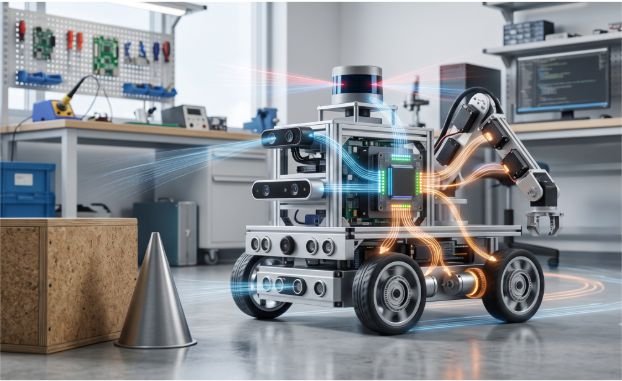
A robot can detect a wall perfectly and still crash into it. It can also have powerful motors yet move blindly. Understanding sensors vs actuators in robotics explains why: sensors supply information, while actuators create physical change.
When I assess a robot, I trace one path: measurement, decision, command, motion, and new measurement. That practical method reveals more than the usual “input versus output” definition.
Sensors vs Actuators in Robotics: The Core Difference
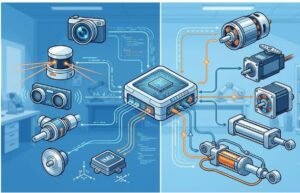
A sensor converts a physical condition into a signal the controller can read. An actuator receives a command and converts electrical, pneumatic, or hydraulic energy into movement or force.
| Comparison point | Sensors | Actuators |
| Main role | Measure conditions | Produce action |
| Data direction | Input to the controller | Output from the controller |
| Typical conversion | Physical conditions into data | Energy into movement or force |
| Human analogy | Eyes, ears, skin, and balance | Muscles, tendons, and limbs |
| Examples | Camera, encoder, IMU, LiDAR | DC motor, servo, stepper, cylinder |
ROS 2 also separates these roles within its hardware model. Actuator components expose command interfaces, while sensor components expose measured states.
The difference between sensors vs actuators in robotics is functional. Neither part works intelligently alone; the controller connects them.
How Robotic Sensors Convert Conditions Into Data
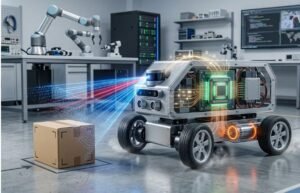
Sensors answer practical questions. Where is the robot? Is an object nearby? How firmly is the gripper holding something?
External and internal sensing
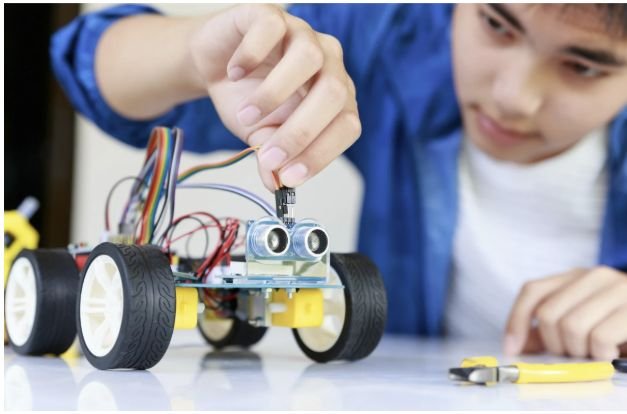
External sensors observe the surrounding environment. Cameras, LiDAR, ultrasonic modules, microphones, and proximity sensors fit this group.
Internal sensors track the robot itself. Encoders, current sensors, torque sensors, and inertial measurement units report motion, position, effort, or orientation.
NASA’s Robonaut 2 demonstrates how extensive robotic perception can become. Its humanoid system uses more than 350 integrated sensors.
Before choosing hardware, I review how robot sensors work at the signal level. Range, resolution, accuracy, update rate, and noise all affect the final measurement. Adding more sensors does not automatically improve perception.
Common robot sensor types
Cameras support recognition, inspection, and navigation. LiDAR and proximity sensors estimate distance. Inertial measurement units track motion, while force sensors help regulate physical contact.
Each sensor type has limits. An encoder may report wheel rotation even when a tire slips. A camera can lose important detail in glare or darkness.
I combine complementary measurements when one sensor failure could cause unsafe behavior. A mobile robot might combine wheel encoders with an IMU, camera, or distance sensor.
How Robot Actuators Convert Commands Into Motion
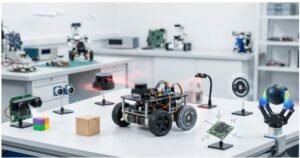
Actuators make a robot rotate, lift, grip, push, roll, or change shape. In sensors vs actuators in robotics, they form the action side of the system.
Electric motors and precision actuators
DC motors provide continuous rotation and often drive wheels, tracks, fans, or conveyors.
Servo systems target controlled position, speed, or torque. Small hobby servos commonly use power, ground, and a control-signal connection, as shown in Arduino’s official servo documentation.
Stepper motors move through controlled increments for printers, gantries, camera sliders, and positioning systems. An open-loop stepper may lose its expected position under excess load. Adding an encoder provides measured position feedback.
Pneumatic and hydraulic actuators
Pneumatic cylinders use compressed air to create linear movement. Hydraulic actuators use pressurized fluid when a robot requires substantial force.
Both systems add infrastructure beyond typical electric drives. Pneumatic designs need an air supply and valves. Hydraulic designs may require pumps, reservoirs, seals, and fluid-control hardware.
I never select an actuator from torque alone. Speed, duty cycle, backlash, heat, power draw, gearing, and mechanical load also affect performance.
How Sensors and Actuators Create Closed-Loop Robot Control
The best way to understand sensors vs actuators in robotics is to place both inside a feedback loop.
The sense-think-act feedback loop
First, a sensor measures the current state. The controller compares that state with the desired result. It then sends a command to an actuator.
The actuator changes the robot or its environment. Sensors measure the new result, allowing the controller to adjust its next command.
NIST describes sensory-interactive control as a hierarchy that converts goals into simpler commands, ending with drive signals sent to actuators. Its robotics work treats sensing, actuation, mobility, manipulation, and intelligent control as connected problems.
This process creates closed-loop control. An open-loop robot issues a command without checking the outcome. A closed-loop robot uses measured results to correct later commands.
Worked example: an obstacle 10 centimeters ahead
Consider an illustrative delivery robot moving at 0.5 meters per second, or about 1.1 miles per hour. Its ultrasonic sensor detects an obstacle 10 centimeters, or roughly 4 inches, ahead.
Assume sensing, processing, communication, and motor response require 100 milliseconds.
During that delay, the robot travels 5 centimeters:
Distance = speed × time
Distance = 0.5 m/s × 0.1 s
Distance = 0.05 m
The robot has already covered about 2 inches before meaningful braking begins. Only another 2 inches remain for stopping or turning.
A correct sensor reading is therefore not enough. The entire control loop must respond before the available distance disappears.
This timing-budget check is my most useful original test for sensors vs actuators in robotics. I add sensor sampling time, filtering, controller delay, communication delay, actuator response, and stopping time.
ROS 2 supports different hardware update rates because sensors and other components may need different operating frequencies. It also supports asynchronous components when slower hardware could otherwise block the main control loop.
How to Match Robot Sensors With the Right Actuators
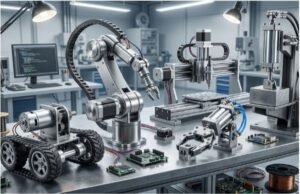
I match components by asking four questions:
- What condition must the robot measure?
- What physical action must follow?
- How quickly must the complete loop respond?
- What should happen after a sensor or actuator failure?
For a robotic arm, encoder resolution should support the required joint accuracy. The motor and gearbox must provide enough torque without excessive backlash.
For a mobile robot, sensor range must exceed the total response and stopping distance. A fast motor paired with a short-range or slow sensor creates avoidable collision risk.
For a robotic gripper, sensing and actuation must cover the expected force range. A powerful actuator without suitable force feedback may damage fragile objects.
Choosing sensors vs actuators in robotics requires paired specifications. High-resolution sensing cannot rescue an undersized motor. High torque cannot compensate for delayed, noisy, or unreliable feedback.
I also check voltage, current, drivers, communication protocols, mounting, controller support, and environmental limits. Strong standalone components can still fail during integration.
Common Mistakes With Sensors vs Actuators in Robotics
The first mistake is buying from headline specifications. Maximum range, speed, or torque may not reflect performance under noise, heat, load, or battery limits.
The second sensors vs actuators in robotics mistake is ignoring total response time. Sampling, filtering, networking, computation, and actuator lag accumulate.
The third mistake is confusing a servo with a sensor. A servo is an actuator assembly, although it may contain an internal position sensor.
A smart actuator may also report position, current, force, or temperature. Those feedback features do not change its main role as an actuator.
NASA’s tendon-based robotic manipulation work demonstrates this relationship. Its technology combines tension sensing, calibration, and control around a robotic actuator system.
Frequently Asked Questions
1. What is the simplest explanation of sensors vs actuators in robotics?
Sensors detect and report conditions, while actuators receive commands and create movement or force.
2. Is a motor a sensor or an actuator?
A motor is an actuator because it converts electrical energy into mechanical movement.
3. Can a robot operate without sensors?
Yes. It can repeat open-loop actions, but it cannot verify results or adapt reliably to changing conditions.
4. How do sensors control actuators in a robot?
Sensors send measurements to a controller, which processes them and adjusts the commands sent to actuators.
No Sensing, No Smarts; No Actuation, No Action
I treat sensors vs actuators in robotics as one connected design problem. Sensors establish what is happening. Actuators determine what the robot can change. The controller closes the gap between those states.
My next step is always simple: sketch the complete feedback loop before buying parts. Label each measurement, delay, decision, command, and physical response. That sketch exposes mismatched components faster than comparing isolated product specifications.