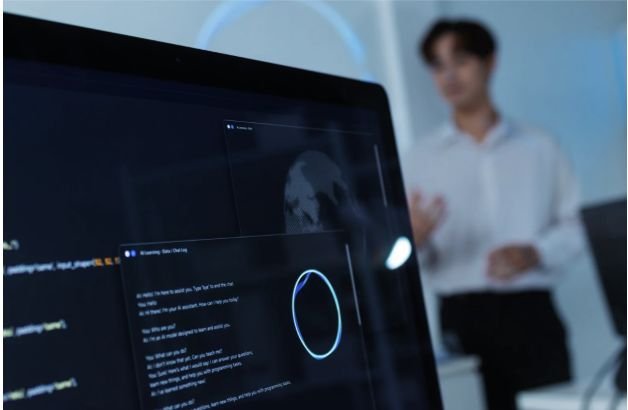
AI coding assistants can explain errors, generate tests, and refactor repetitive code in seconds. I still never treat an AI prompt box as a private workspace by default. Source code, API keys, production logs, customer records, internal URLs, and proprietary algorithms may leave my control when a tool sends context to a cloud service.
Learning how to use AI coding tools without exposing private data begins with one distinction: “not used for training” does not necessarily mean “never transmitted” or “never retained.” Before using a tool on a private repository, I check where information is processed, how long it is stored, which providers receive it, and what the coding agent can access.
Can AI Coding Assistants Access Your Entire Repository?
Autocomplete tools may receive nearby lines, while agentic tools can index repositories, read terminal output, edit files, run commands, browse websites, or connect to external systems through Model Context Protocol servers.
I classify information first. Credentials, Social Security numbers, payment or health data, customer records, certificates, and trade-secret logic should remain outside unapproved tools, especially for regulated US companies.
Should You Run an AI Coding Model Locally?
For confidential projects, a local-first setup is my strongest practical option. Ollama and LM Studio can run compatible open-source coding models, including Llama-family and DeepSeek coding models, on a workstation. Continue and Roo Code can connect local models to VS Code, and both document offline workflows.
Local does not automatically mean isolated. Ollama supports cloud features, so I confirm the model runs locally and use its documented local-only setting or OLLAMA_NO_CLOUD=1 when required. I also review telemetry, web search, cloud fallback, remote MCP servers, and network access.
How Do You Configure Cloud Coding Assistants for Privacy?
Cloud assistants may be necessary when local hardware cannot provide enough speed or quality. I review privacy terms for the exact product, account type, and feature instead of assuming that every paid plan is private or every free plan trains on prompts.
Cursor says Privacy Mode prevents customer data from being used for training and applies zero-data-retention arrangements with model providers. Its documentation also describes processing and limited exceptions needed to provide or protect the service. I enable Privacy Mode but still inspect repository indexing, extensions, selected models, and connected services.
For GitHub Copilot, I use GitHub’s official content-exclusion settings instead of relying on a .copilotignore file. Eligible administrators can exclude selected paths, but GitHub says exclusions are not supported across every surface, including certain Edit and Agent modes. Exclusions must therefore work alongside least-privilege permissions.
Claude Code also needs account-specific review. Anthropic documents different retention rules for consumer and commercial users, optional zero-data-retention arrangements for qualified organizations, and local plaintext session transcripts stored for a configurable period by default. Its settings can deny access to .env files, secret folders, and risky commands.
OpenAI states that ChatGPT Business, Enterprise, Edu, and API (An application programming interface) data are not used for training by default, while consumer users have separate controls. I still verify retention, deletion, data residency, subprocessors, and security exceptions.
How Can You Anonymize Code Before Prompting?
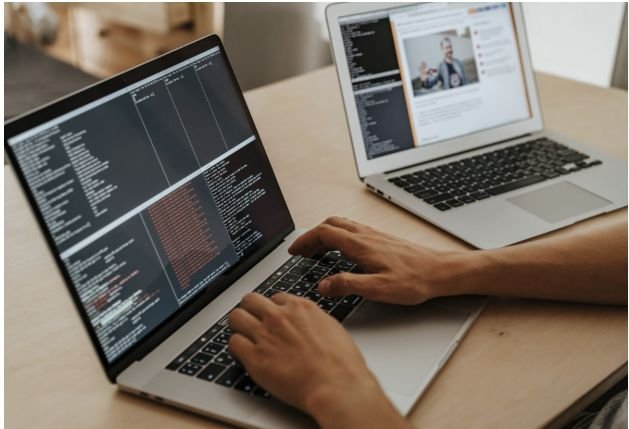
When I debug through a web interface, I send the smallest useful example. I provide database schemas without real rows and replace company domains, internal IPs, UUIDs, and production credentials with safe placeholders.
I also request generic code instead of pasting a proprietary implementation. For example, I ask for a Python pattern that handles a failed API response, then adapt it locally. Schema-only prompts and mock data preserve the technical problem while reducing exposure.
This approach is especially useful for Python automation projects for office workers, where reusable scripts can automate routine tasks such as processing spreadsheets, generating reports, or handling API data without exposing sensitive business information or confidential workflows.
Instead of sharing a complete customer database query, I might provide only the structure:
users(id, email, status, created_at)
I would replace actual email addresses with values such as user@example.com, remove company-specific table names, and never include real authentication tokens. This approach gives the AI enough context to suggest an indexing strategy or query pattern without exposing production records.
Which Guardrails Prevent Accidental AI Data Leaks?
Human caution eventually fails, so I add technical safeguards. TruffleHog, GitGuardian, and GitHub secret scanning can detect credentials in repositories. GitHub’s scanner checks history and branches for hardcoded secrets. Pre-commit hooks can block risky code, but they do not inspect every AI prompt.
Prompt protection requires a separate control. Cloudflare DLP can inspect AI prompts and responses, while Microsoft Purview supports DLP and browser-level controls for supported generative AI interactions. US teams can configure policies to detect Social Security numbers, payment data, proprietary source code, customer identifiers, or internal file paths before submission.
I restrict agent permissions too. The assistant should access only the approved workspace, require confirmation before commands, and remain blocked from production systems, secret folders, unrestricted networks, and unreviewed MCP (Model Context Protocol) connections.
Teams should also define which AI coding assistants employees may use. An approved-tool policy reduces shadow AI, where developers quietly use personal accounts or browser-based tools that have not passed a security review. The policy should explain which repositories are allowed, which data categories are prohibited, and when a local model or enterprise account is required.
What Should You Do After Accidentally Sharing a Secret?

I treat an exposed credential as compromised. I rotate it immediately, inspect access logs, remove it from Git history, and delete the AI conversation where possible.
I then notify the appropriate security or privacy contact and document what was exposed. If the prompt contained customer information or regulated data, the company may need to follow its incident-response and breach-notification procedures. Deleting a prompt alone cannot make an API key trustworthy again.
Frequently Asked Questions (FAQs)
1. Is GitHub Copilot safe for private repositories?
It can be appropriate when the organization accepts its data terms, configures official exclusions where supported, limits agent permissions, and keeps secrets outside the repository.
2. Are local AI coding models completely offline?
Not always. Extensions, telemetry, cloud fallback, web tools, or remote MCP servers may still transmit data even when inference runs locally.
3. Can secret scanners block confidential AI prompts?
Repository scanners primarily inspect files, commits, and Git history. Prompt protection usually requires DLP, an approved AI gateway, browser controls, or a redaction layer.
4. What is the safest AI coding workflow for private code?
The safest approach to how to use AI coding tools without exposing private data is to classify the project, prefer verified local processing, minimize context, anonymize prompts, restrict permissions, scan secrets, and require human review.
A Privacy-First AI Coding Routine
My routine is simple: classify, isolate, sanitize, restrict, generate, review, and scan. That sequence combines local LLMs, privacy settings, source-code anonymization, repository exclusions, secret detection, prompt-level DLP, and least-privilege access.
No single checkbox guarantees privacy. A local model may still connect to remote services, and an enterprise account may still expose information through excessive permissions or unsafe integrations. Context sharing and enforceable guardrails protect private code more reliably.